.png&w=1920&q=75)
Medical
Paramedical
Engineering
Pharmacy
Nursing
Management
Diploma
Science
Law
Study Abroad

Admissions open 2026-27
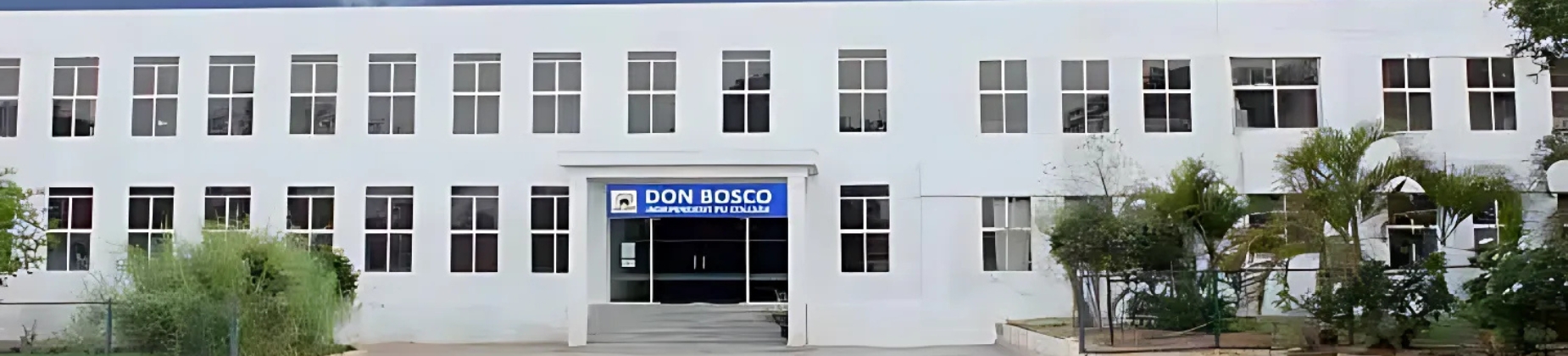
Don Bosco PU College
Karnataka Board of the Pre-University Education,PU
Mysore road, Bangalore, Bangalore, India
Apply For Admission


Admission Open
Don Bosco Independent PU College Admissions offers a seamless process for students seeking quality education in the Science, Commerce, & Humanities streams. With clear eligibility criteria and a straightforward application procedure, aspiring students can easily apply for their desired courses. The college provides personalized guidance throughout the admission process & will be helpful. The College Address: Battarahalli, KR Puram, Bangalore - 560049, Karnataka, India. Landmark: Near TC Palya Signal. Email: For admissions, academic queries, or other inquiries, you can reach out to: info@getmycollege.com Social Media & Additional Platforms: Don Bosco PU College is also active on various social media platforms. You can follow them for updates, events, & news. Admission Process and Further Contact: For more specific questions, including how to apply for courses, documents required for admission, or to schedule a campus visit, you can directly reach out through the numbers and emails provided above. Other Key Points: Admissions Office: For any admission-related queries or to schedule a visit to the campus, the contact numbers mentioned above are your best bet. These contact details will help you connect with the relevant departments at Don Bosco PU College, & whether you need assistance with the admissions process, course information, campus facilities, & other academic concerns, Their team is always ready to assist you promptly and helpfully. You can visit the Don Bosco Independent PU College Contact Number to get more information about the Admission. Applicants must have successfully completed their Class 10 (SSLC/CBSE/ICSE or equivalent) with a passing certificate. A minimum percentage may be required depending on the stream (Science, Commerce, or Humanities). Obtain the application form either online through the college website or by visiting the admissions office in person. Class 10 mark sheet (original and photocopy). Transfer Certificate (TC) from the previous school. Conduct/Character Certificate. Passport-sized photographs (4-6 copies). Aadhaar Card or other ID proof. Choose the desired stream and subject combination (Science, Commerce, or Humanities) during the application process. Ensure the stream aligns with your career aspirations and eligibility. Payment can typically be made online, via bank transfer, or in person. Some streams or special programs may require students to appear for an entrance test. The test evaluates aptitude, subject knowledge, & English proficiency. Shortlisted candidates may be called for a personal interview with the admissions panel. The interview helps assess the student’s interests, aspirations, & compatibility with the college values. Selected candidates will receive an admission confirmation letter/email. The letter includes details about the fee payment schedule & deadlines. Pay the first installment of the tuition fees to secure your seat. Submit proof of payment to the admissions office to complete the process. Attend the orientation session organized by the college. Complete the final enrollment formalities and receive your class schedule. You can visit the Don Bosco Independent PU College Admissions to get more information about the Admission Process. Visit the official website of Don Bosco Independent PU College. Look for the “Admissions” tab or the “Online Application” section prominently displayed on the homepage. Click on “Apply Now” or “Register.” Create a new account by entering your full name, email address, and mobile number. Set a password for your account and verify it using an OTP sent to your registered mobile number or email. Log in using your registered credentials. Select the “New Application” option and choose the academic year for which you are applying. Provide the following information: Full name (as per Class 10 marks card). Date of birth and gender. Parent/guardian names and contact details. Complete residential address, & including PIN code. Enter the details of your Class 10 education: School name and board of education (SSLC, CBSE, ICSE, or State Board). Marks/grades obtained (if results are declared). Roll number or registration number from your Class 10 exams. Choose your preferred stream: Commerce: Combinations like CEBA (Commerce, Economics, Business Studies, Accountancy) or SEBA (Statistics, Economics, Business Studies, Accountancy). Humanities: Options like HEPS (History, Economics, Political Science, Sociology). Specify any additional programs such as competitive exam coaching (e.g., NEET, JEE, CA Foundation). Scan and upload the following documents: Class 10 Mark Sheet: If results are awaited, upload a provisional certificate or acknowledgment. Transfer Certificate (TC): Issued by the previous school. Conduct/Character Certificate: Proof of good behavior. Passport-sized Photographs: Clear and recent images. Aadhaar Card or Other ID Proof: For identity verification. Ensure documents are in the prescribed format (JPEG, PNG, or PDF) and within the size limits specified by the portal. Debit/Credit card. UPI or Net Banking. Payment gateways integrated into the application portal. Verify all the details filled in the form and uploaded documents. Ensure there are no errors or missing information. Once reviewed, & click on the “Submit” button to finalize your application. After successful submission, you will receive a confirmation email or SMS from the college. This will include your application number and instructions regarding the next steps. Log in to your account on the portal to track your application status. Updates about entrance tests, interviews (if applicable), and selection will be communicated through the portal or email. If the college mandates an entrance test or interview for the selected stream, attend it as scheduled. Prepare for the test based on the stream-specific syllabus or topics shared by the college. If selected, you will receive an official admission offer via email or on the portal. This includes instructions for the payment of tuition fees and the deadline to secure your seat. Pay the first installment of tuition fees online using the portal. Submit the fee receipt to the college through the portal or via email to confirm your admission. Attend the online orientation session organized by the college. Download your student ID and academic calendar from the portal. Receive your class schedule and prepare to begin your academic journey. You can visit the Don Bosco Independent PU College Online Application to get more information about the Online Application.Don Bosco Independent PU College Contact Number
Don Bosco Independent PU College Admissions Process
1. Eligibility Criteria:
2. Application Form:
3. Document Submission:
4. Stream Selection:
5. Application Fee Payment:
6. Entrance Test (if applicable):
7. Interview Round:
8. Admission Confirmation:
9. Fee Payment:
10. Orientation and Enrollment:
Don Bosco Independent PU College Online Application
1. Access the Official Website:
2. Account Registration:
3. Login and Begin the Application:
4. Fill in Personal Details:
5. Academic Details:
6. Select the Stream and Subject Combination:
7. Document Upload:
8. Pay the Application Fee:
9. Review Your Application:
10. Confirmation Email/SMS:
11. Track Application Status:
12. Attend the Entrance Test or Interview (if required):
13. Admission Offer:
14. Fee Payment and Enrollment:
15. Final Steps:
Conclusion
Don Bosco Independent PU College Admissions offers a seamless & transparent process for students seeking excellence in pre-university education. With well-defined eligibility criteria, multiple stream options, & personalized guidance, the admissions process ensures every applicant is well-supported.
Get College Name, District
Admission Form 2026
More About
Info
Courses & Fees
Cutoff
Placements
Scholarship
Gallery
Facility
Review
Q & A
Students Also Visited

College Name
Admissions Open for All Courses 2026
Visit Us
Basavanagudi, Bengaluru
Karnataka - 560004
.png)
GetMyCollege
India's most trusted college admission platform. Join thousands of students who found their dream college with expert guidance.
Company
About Us
Compare Colleges
Contact Us
Privacy Policy
Terms & Conditions
Ready to Find Your Dream College?
Free counselling available — no registration required
Top Colleges
RV Institute of Technology and Management
PES College of Engineering
BMS Institute of Technology and Management
Dayananda Sagar Institute of Technology
BNM Institute of Technology
Sir M Visvesvaraya Institute Of Technology
RNS Institute of Technology
Top Streams
Medical
Para Medical
Engineering
Nursing
LLB
Science
Arts & Design
Diploma
Pharmacy
Commerce
IT
Study Abroad
🇨🇦 Canada
🇸🇪 Sweden
🇦🇺 Australia
🇩🇪 Germany
🇬🇧 UK
🇺🇸 USA
🇫🇷 France
🇨🇳 China
🇦🇪 UAE
🇮🇹 Italy
🇳🇿 New Zealand
Articles
Pre University Result
PU College Admissions 2026
CBSE 10th Exam Syllabus
Best PU Colleges in Bangalore
JEE, NEET with PU Colleges
Why BBA after 12th
Engineering Revaluation Complete Guide
Top Residential PU Colleges in Bangalore
Copyright © 2026
GetMyCollege.com.
All Rights Reserved.